
Hard drive shredding for UK businesses
Arrange physical destruction of redundant business hard drives, with media suitability, secure handling and destruction records agreed before booking.
List HDDs, SSDs and failed drives separately, and tell us if destruction must take place at your premises.
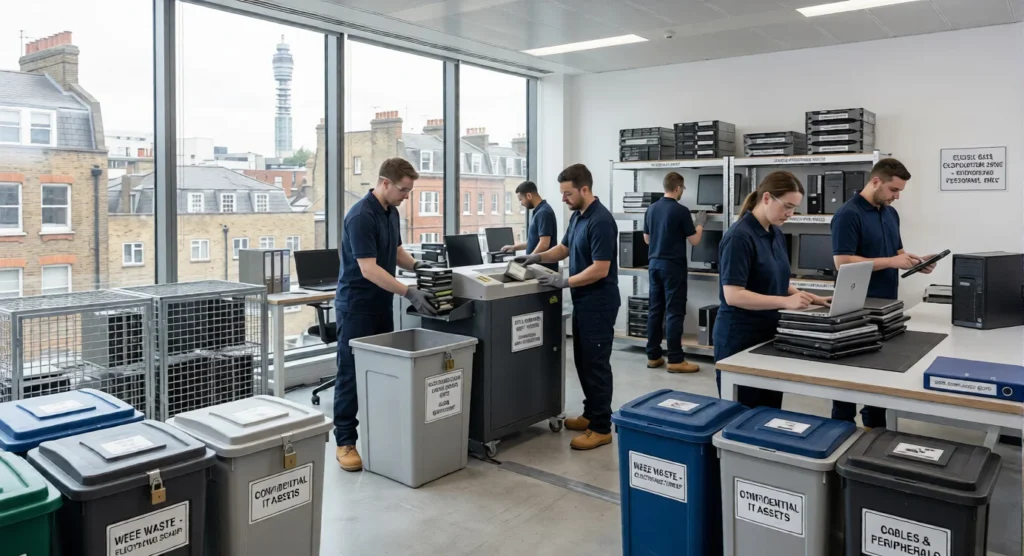
Identify the drives you need destroyed
Start with the number and type of drives, where they are held and whether they are loose or still fitted in equipment. Include any failed or damaged items. We will confirm the suitable destruction route, handling arrangements and reporting scope before work begins.
- Loose hard disk drives (HDDs)
- Drives fitted in desktop computers
- Drives fitted in business laptops
- Server and storage-array drives
- Failed or damaged drives
- SSDs and flash media: confirm method
Match the process to the storage media
Hard disk drives and solid state storage hold information differently. Identify each media type and agree the physical destruction method for it. If your security policy sets a destruction specification or verification requirement, include it in the enquiry.
For help choosing between erasure and physical processing, see our data destruction overview.
Choose where destruction takes place
Tell us whether drives can leave your premises before processing, or whether your policy requires destruction onsite. Include any need for a witness, along with access, working space and timing restrictions.
Our onsite data destruction service explains the arrangements to discuss when processing needs to take place at your location.
How the service works
List and authorise the drives
Prepare quantities and media types, confirm disposal approval, and specify onsite, witness or reporting requirements.
Agree handling and shredding
Confirm the suitable physical process, handover arrangements, location, timing and costs before the drives are processed.
Check the destruction records
Review the agreed certificate and asset details against your inventory, and resolve any missing items or exceptions.
Prepare a controlled handover
Keep a drive list that your team can reconcile at handover. Record serial numbers or asset tags where needed, identify drives still fitted in equipment, and separate anything awaiting disposal approval.
For a wider equipment clearance, include our computer recycling service in the enquiry so the drives and remaining hardware can be planned together.
Link the records to your drive list
Agree the certificate coverage and reporting detail before processing. If you need individual drive identifiers or a particular report format, make that part of the booking requirements.
Confirm how discrepancies and items outside the agreed scope will be handled. Discuss reconciliation needs with our audits and reporting team.
Secure handling, documented
Confidence beyond collection.
Agree your data handling and reporting requirements before work begins.
View all accreditations & registrations →
“Excellent service and I'd go so far as to say, the best in the business. Always quick to respond to my requests, always go above and beyond…”
What happens to a hard drive during shredding?
Shredding physically breaks down the storage media so the drive cannot be reused. Confirm the process and any required destruction specification for your media before booking.
Can SSDs and failed drives be included?
List SSDs, flash storage and failed or damaged drives separately. The suitable physical process depends on the storage media and your requirements. Our team will confirm which items can be included and how they will be treated.
Can we witness the shredding?
Tell us if your organisation requires witnessed processing or destruction at its own premises. The team will confirm what can be arranged for the media, quantities, site and timescale involved.
Will we receive a certificate of destruction?
A certificate of destruction is provided for the agreed service. Confirm which drives it will cover and whether serial numbers, asset tags or item-level records are required before booking.
What should we do before handing over the drives?
Back up information you need to retain, check retention restrictions and authorise the drives for destruction. Prepare an inventory and keep any items that must not be processed clearly separated.
Can shredding be arranged alongside computer recycling?
Include the full equipment list and identify which drives require physical destruction. Our team will confirm collection, any drive-removal work, treatment of the remaining equipment and the documentation for each part of the job.
How much does hard drive shredding cost?
The quote depends on media types, quantities, location, any drive-removal work, onsite or witness arrangements and reporting detail. Send the drive list and your requirements so the scope and costs can be confirmed.
Let’s plan the next step
Tell us what you need.
Service: Hard drive shredding
Include the equipment or records involved, your location and any security or reporting requirements.
- Clear arrangements before work begins
- Data handling agreed upfront
- Costs and documentation confirmed