How to Dispose of Old Computers Securely: A Complete Business Guide for 2026
There’s a good chance your office has one right now — a storage room, a spare cupboard, maybe just a corner nobody looks at, quietly filling up with retired laptops and dead desktops. Nobody quite knows what to do with them, so they just… stay there. The plan is always to “sort it out later.”
The trouble is, later usually arrives in the worst possible way: a compliance audit, a data protection query, or — if you’re really unlucky — a call telling you one of your old hard drives has turned up somewhere it shouldn’t have. When it comes time to dispose of old computers, doing it properly isn’t optional anymore, it’s part of running a responsible business.
If you’re planning an IT refresh this year, here’s what actually needs to happen before any of that old kit leaves the building.
Why This Matters More Than People Think
Old computers don’t just take up space. They’re a liability sitting quietly in a box, and most people underestimate how much is still on them.
Think about everything that’s passed through a work laptop over three or four years — customer records, invoices, saved passwords, half-finished emails, maybe even scanned contracts. Deleting a file or running a factory reset doesn’t get rid of any of it, not really. It just hides it from view. Basic recovery software, the kind anyone can download in minutes, can pull most of that straight back.
That’s the reason secure disposal of IT equipment has stopped being an afterthought and become an actual business process. A few things are driving that:
- Data protection rules like GDPR don’t stop applying once a device leaves your office. You’re still on the hook for what happens to that data afterward.
- One badly wiped hard drive ending up with the wrong person can mean a breach investigation, legal costs, and a lot of awkward conversations with clients.
- Environmental rules around e-waste have gotten stricter, and regulators increasingly want proof — not just an assurance — that equipment was recycled or destroyed properly.
- Clients and investors are paying closer attention too. ESG reporting now often includes how a company handles its old electronics.
Put simply, how you get rid of old computers says almost as much about your business as how you treat a client contract.
What Happens When Businesses Get This Wrong
Before getting into the right process, it’s worth knowing what’s actually at stake when a company cuts corners here.
Data Ends Up Somewhere It Shouldn’t
Selling, donating, or scrapping a computer without properly destroying the data on it is one of the most common causes of corporate data leaks — and one of the easiest to prevent. There are plenty of documented cases of second-hand hard drives turning up with payroll files, medical records, and client data still intact.
Fines That Cost More Than Doing It Right
Any business handling healthcare, financial, or personal data can face penalties for failing to prove proper destruction — and those penalties tend to be far higher than what it would’ve cost to just handle disposal correctly the first time.
Environmental Fallout
Electronics that get dumped rather than recycled leach heavy metals like lead and mercury into soil and water. And if an unlicensed contractor mishandles your waste, your company can still be held responsible, even if you didn’t know.
Damaged Trust
Nothing dents client confidence quite like a story about old company laptops turning up in a landfill, or worse, in a data broker’s hands.
How to Dispose of Old Computers Securely: Step by Step
1. Inventory Everything First
Before a single device leaves the office, get a full list together. At minimum, that means:
- Device type and serial number
- Who used it, or which department it belonged to
- Storage type and capacity (HDD or SSD)
- Whether it’s likely to hold sensitive or regulated data
This list becomes your audit trail. It’s usually the first thing a compliance officer or auditor will want to see.
2. Back Up Anything You Still Need
Double-check nothing important lives only on that device. Move anything relevant to active storage or the cloud before the hardware gets retired.
3. Pick a Proper Data Destruction Method
This is the step most companies get wrong — assuming deletion counts as destruction. It doesn’t. You’ve really got three options:
- Data wiping — software overwrites the drive to a recognised standard like NIST 800-88. Works well if the drive’s going to be reused or resold.
- Degaussing — a magnetic process that erases traditional hard drives (though it won’t touch SSDs).
- Physical destruction — shredding, crushing, or drilling the drive so recovery is simply impossible. Usually the safest route for anything highly sensitive.
Any decent data destruction provider will issue a certificate for every device processed. Keep those on file — you’ll want them later.
4. Bring In a Certified ITAD Partner
Most businesses shouldn’t try to handle this entirely in-house. A proper IT asset disposal provider manages the whole chain of custody — pickup, destruction or recycling, and the paperwork proving it was all done to standard.
Before choosing one, it’s worth asking about:
- Certifications held (R2, e-Stewards, NAID AAA)
- How they track chain of custody
- Whether destruction happens on-site or off-site — some businesses prefer onsite data destruction so nothing leaves the premises unwiped
- What kind of reporting they provide
- Whether resale and recycling are both options, not just destruction
5. Recycle What Can’t Be Reused
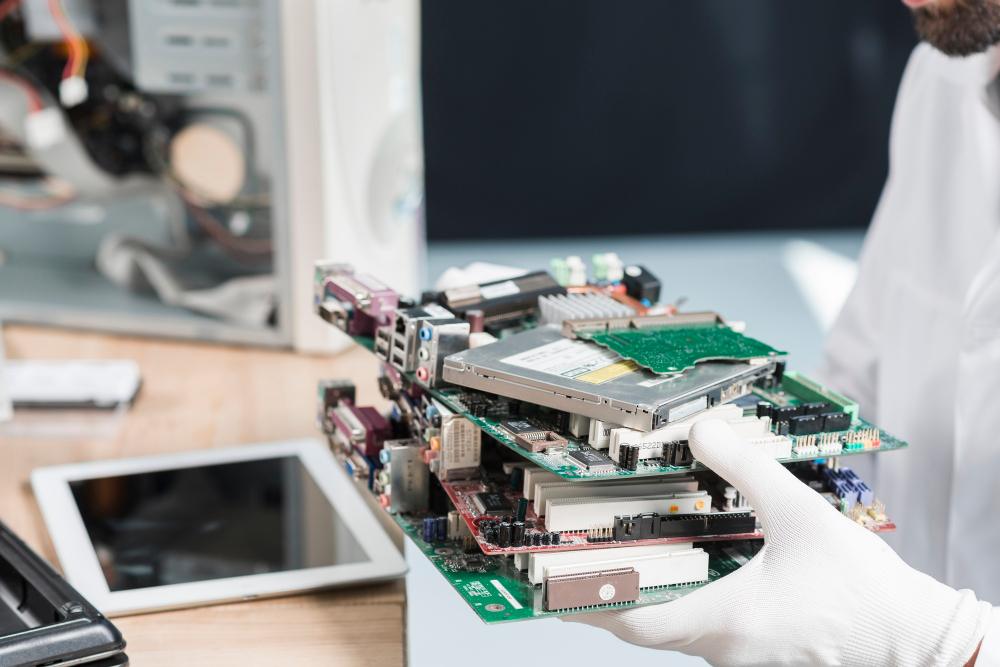
Anything that can’t be resold should go through certified computer recycling services, where components get broken down properly rather than dumped. Certified recyclers recover materials like gold, copper, and aluminium while handling the hazardous parts safely.
Two certifications worth checking for:
- R2 (Responsible Recycling)
- e-Stewards
Both confirm the recycler is actually following environmental and security protocols, rather than quietly exporting waste to somewhere with fewer rules.
6. Keep the Paperwork
Don’t skip this. For every device processed, you should get:
- A certificate of data destruction
- A certificate of recycling or resale
- Confirmation the serial numbers match your original inventory
If a regulator, client, or auditor ever asks how a specific device was handled, this is what you show them. Most reputable providers keep a full record of these, similar to the kind of certificates you’d expect from any properly accredited disposal partner.
In-House vs. Outsourced Disposal
| Factor | Doing It In-House | Using an ITAD Provider |
|---|---|---|
| Data security | Depends entirely on internal know-how | Handled to a certified standard |
| Documentation | Easy to miss steps, all manual | Provided as standard |
| Environmental compliance | You’d need to research it region by region | Already built into the certification |
| Cost | Cheaper upfront, riskier | A bit more upfront, far less risk |
| Time | Takes real staff hours | Minimal, mostly just coordination |
If you’ve only got a handful of low-sensitivity devices, doing it yourself might be fine. But for anything involving regulated data — healthcare, finance, legal, government work — outsourcing to a certified provider is really the only sensible option.
Mistakes That Come Up Again and Again
- Assuming a factory reset “wipes” the device. It doesn’t — data can still be pulled back afterward.
- Letting retired equipment pile up “just in case,” which only stretches out the risk window unnecessarily.
- Not bothering with documentation, which leaves you with nothing to show if anyone ever asks.
- Going with whichever recycler is cheapest without checking their certifications first — some uncertified vendors end up exporting e-waste illegally.
- Forgetting the smaller stuff. USB drives, external hard disks, and old servers get overlooked constantly, but they carry exactly the same risk as a laptop.
Some of these same issues come up with other devices too — mobile phones get thrown out or handed down without a second thought about what’s still on them, and it’s worth applying the same caution there.
Building This Into a Repeatable Policy
The companies that handle this well don’t treat it as a one-off scramble every time equipment gets old. They build it into how IT is managed year-round. That usually looks like:
- A set refresh cycle — replacing laptops every three to four years, say
- A pre-vetted, certified disposal or recycling partner already on file
- A rule that data destruction happens before anything leaves the building, no exceptions
- Centralised records for every device that’s been retired
- A yearly check that your vendor’s certifications are still current
Having all that documented doesn’t just protect your data — it makes audits, insurance reviews, and client due-diligence checks a lot less painful when they come around. It also ties into the broader e-waste challenges UK businesses are being asked to address more seriously each year.
Final Thoughts
Getting rid of old technology isn’t really about clearing a cupboard. It’s a security decision and a compliance requirement, and increasingly, it says something about how seriously your business takes its responsibilities.
Whether you handle it yourself or bring in a certified partner, the goal stays the same: when you dispose of old computers, make sure the data is genuinely gone, the hardware is dealt with responsibly, and you’ve got the paperwork to prove it if anyone ever asks. It’s a small process to get right — and a costly one to get wrong.